netlink plugin
| Plugin name | netlink |
| Type | read |
| Callbacks | config, init, read, shutdown |
| Status | supported |
| Since | 4.1 |
| Copyright | 2007 Florian octo Forster |
| License | GPLv2 |
| Configuration | collectd.conf(5) |
Description
The Netlink plugin will open a netlink socket to the Linux kernel and use it to get statistics for interfaces, qdiscs, classes, and, if you can make use of it, filters. Since in most setups many of the statistics this plugin can collect aren't of interest, you can select which information to gather using the configuration. The details are documented in the collectd.conf(5) manpage.
The interface statistics has been split up in two parts:
- The normal interface statistics include exactly the same information as is collected by the Interface plugin – it's only collected in another way.
- The verbose interface statistics give you all the other details that are available: Number of dropped packets, number of multicast packets, and RX- and TX-errors by error types. Under Linux, you cannot get any more verbose than that. These statistics basically correspond to the values returned by:
# ip -s -s link list
It is possible to use regular expressions to match interface names, if the name is surrounded by I\</.../> and collectd was compiled with support for regexps. This is useful if there's a need to collect (or ignore) data for a group of interfaces that are similarly named, without the need to explicitly list all of them (especially useful if the list is dynamic). Example:
 <Plugin "netlink">
   Interface "/^eth/"
   Interface "/^ens[1-4]$|^enp[0-3]$/"
   VerboseInterface "/^eno[0-9]+/"
 </Plugin>
But extended interface statistics is not all. The Netlink plugin can also gather statistics from Linux' traffic control subsystem, i. e. the bytes and packets that passed a certain qdisc, class, or filter. I'm afraid there is no one sentence answer to what all that is, but there's an article in the LARTC HowTo which tries to explain that. If you have a traffic shaping or Quality of Service (QoS) setup and you need or want to know how much traffic is going over which qdisc or class, this is the right plugin for you.
Graphing filters is a bit troublesome: Filters don't have an ID of their own, so the parent's ID (i.e. the QDisc's handle, since filters always belong to a QDisc, classes cannot have filters attached to them) is used. This may not result in a unique name if there is more than one filter attached to that qdisc or class. If you want to get statistics about different traffic types, please have a look at the IP-Tables plugin.
If CollectVFStats is set to true plugin collects VF's statistics for Virtual Functions available for interfaces specified in B
Synopsis
 <Plugin "netlink">
   Interface "eth0"
   Interface "ppp0"
   VerboseInterface "ppp0"
   QDisc "ppp0"
   Class "ppp0" "htb-1:10"
   Filter "ppp0" "u32-1:0"
   IgnoreSelected false
   CollectVFStats true
 </Plugin>
History
- CollectVFStats option is available since release 5.12.
Example graphs
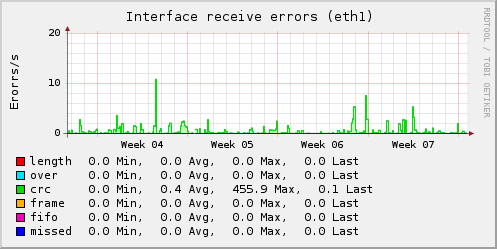
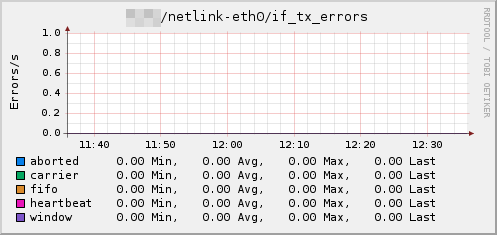
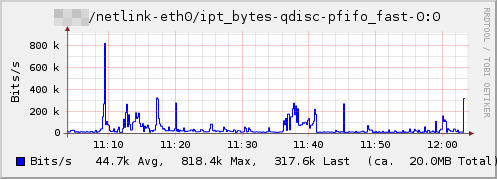
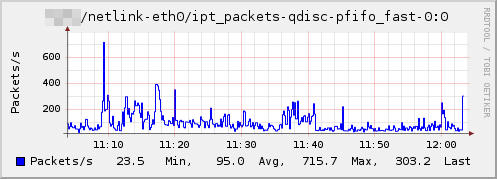
Dependencies
- Linux 2.4 or later
libmnl
Configuration
Configuration options · from collectd.conf(5)
See this section in the full configuration reference
The netlink plugin uses a netlink socket to query the Linux kernel about statistics of various interface and routing aspects.
- Interface Interface
- VerboseInterface Interface
-
Instruct the plugin to collect interface statistics. This is basically the same as the statistics provided by the
interfaceplugin (see above) but potentially much more detailed.When configuring with Interface only the basic statistics will be collected, namely octets, packets, and errors. These statistics are collected by the
interfaceplugin, too, so using both at the same time is no benefit.When configured with VerboseInterface all counters except the basic ones will be collected, so that no data needs to be collected twice if you use the
interfaceplugin. This includes dropped packets, received multicast packets, collisions and a whole zoo of differentiated RX and TX errors. You can try the following command to get an idea of what awaits you:If Interface is All, all interfaces will be selected.
It is possible to use regular expressions to match interface names, if the name is surrounded by /.../ and collectd was compiled with support for regexps. This is useful if there's a need to collect (or ignore) data for a group of interfaces that are similarly named, without the need to explicitly list all of them (especially useful if the list is dynamic). Examples:
This will match all interfaces with names starting with eth, all interfaces in range ens1 - ens4 and enp0 - enp3, and for verbose metrics all interfaces with names starting with eno followed by at least one digit.
- QDisc Interface [QDisc]
- Class Interface [Class]
- Filter Interface [Filter]
-
Collect the octets and packets that pass a certain qdisc, class or filter.
QDiscs and classes are identified by their type and handle (or classid). Filters don't necessarily have a handle, therefore the parent's handle is used. The notation used in collectd differs from that used in tc(1) in that it doesn't skip the major or minor number if it's zero and doesn't print special ids by their name. So, for example, a qdisc may be identified by
pfifo_fast-1:0even though the minor number of all qdiscs is zero and thus not displayed by tc(1).If QDisc, Class, or Filter is given without the second argument, i. .e. without an identifier, all qdiscs, classes, or filters that are associated with that interface will be collected.
Since a filter itself doesn't necessarily have a handle, the parent's handle is used. This may lead to problems when more than one filter is attached to a qdisc or class. This isn't nice, but we don't know how this could be done any better. If you have a idea, please don't hesitate to tell us.
As with the Interface option you can specify All as the interface, meaning all interfaces.
Here are some examples to help you understand the above text more easily:
<Plugin netlink>
  VerboseInterface "All"
  QDisc "eth0" "pfifo_fast-1:0"
  QDisc "ppp0"
  Class "ppp0" "htb-1:10"
  Filter "ppp0" "u32-1:0"
</Plugin>
See
/"IGNORELISTS"for details. - IgnoreSelected
- The behavior is the same as with all other similar plugins: If nothing is selected at all, everything is collected. If some things are selected using the options described above, only these statistics are collected. If you set IgnoreSelected to true, this behavior is inverted, i. e. the specified statistics will not be collected.
- CollectVFStats true|false
- Allow plugin to collect VF's statistics if there are Virtual Functions available for interfaces specified in Interface or VerboseInterface. All available stats are collected no matter if parent interface is set by Interface or VerboseInterface.