nut plugin
| Plugin name | nut |
| Type | read |
| Callbacks | config, read, shutdown |
| Status | supported |
| Since | 4.0 |
| Copyright | 2007 Florian Forster |
| License | MIT License |
| Configuration | collectd.conf(5) |
The NUT plugin collects uninterruptible power supply (UPS) statistics using the Network UPS Tools (NUT). These statistics include basically everything NUT will give us, including voltages, currents, power, frequencies, load, and temperatures.
Synopsis
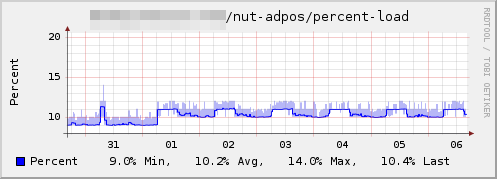
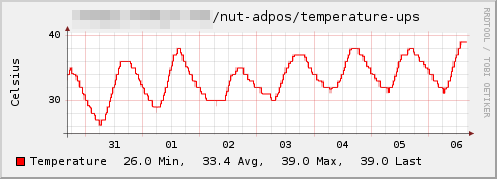
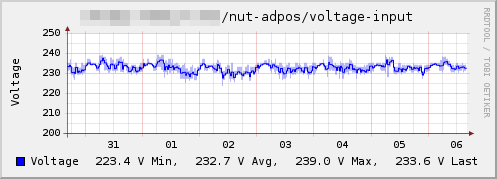
Example graphs
Dependencies
See also
Configuration
Configuration options · from collectd.conf(5)
See this section in the full configuration reference
- UPS upsname@hostname[:port]
- Add a UPS to collect data from. The format is identical to the one accepted by
upsc(8). - ForceSSL true|false
- Stops connections from falling back to unsecured if an SSL connection cannot be established. Defaults to false if undeclared.
- VerifyPeer true|false
- If set to true, requires a CAPath be provided. Will use the CAPath to find certificates to use as Trusted Certificates to validate a upsd server certificate. If validation of the upsd server certificate fails, the connection will not be established. If ForceSSL is undeclared or set to false, setting VerifyPeer to true will override and set ForceSSL to true.
- CAPath I/path/to/certs/folder
-
If VerifyPeer is set to true, this is required. Otherwise this is ignored. The folder pointed at must contain certificate(s) named according to their hash. Ex: XXXXXXXX.Y where X is the hash value of a cert and Y is 0. If name collisions occur because two different certs have the same hash value, Y can be incremented in order to avoid conflict. To create a symbolic link to a certificate the following command can be used from within the directory where the cert resides:
ln -s some.crt ./$(openssl x509 -hash -noout -in some.crt).0Alternatively, the package openssl-perl provides a command
c_rehashthat will generate links like the one described above for ALL certs in a given folder. Example usage:c_rehash /path/to/certs/folder - ConnectTimeout Milliseconds
- The ConnectTimeout option sets the connect timeout, in milliseconds. By default, the configured Interval is used to set the timeout.