teamspeak2 plugin
| Plugin name | teamspeak2 |
| Type | read |
| Callbacks | config, read, shutdown |
| Status | supported |
| Since | 4.4 |
| Copyright | 2008 Stefan Hacker, 2008 Florian octo Forster |
| License | GPLv2 |
| Configuration | collectd.conf(5) |
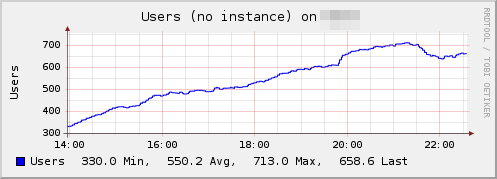
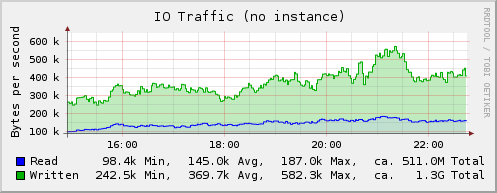
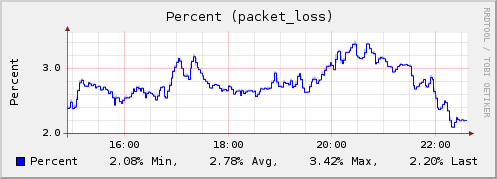
The TeamSpeak2 plugin connects to a TeamSpeak2 instance and collects traffic statistics and the number of current servers, channels and users. Statistics are collected for the global server and for all configured vserver.
Synopsis
Example graph
Dependencies
- none
Configuration
Configuration options · from collectd.conf(5)
See this section in the full configuration reference
The teamspeak2 plugin connects to the query port of a teamspeak2 server and polls interesting global and virtual server data. The plugin can query only one physical server but unlimited virtual servers. You can use the following options to configure it:
- Host hostname/ip
- The hostname or ip which identifies the physical server. Default: 127.0.0.1
- Port port
- The query port of the physical server. This needs to be a string. Default: "51234"
- Server port
-
This option has to be added once for every virtual server the plugin should query. If you want to query the virtual server on port 8767 this is what the option would look like:
This option, although numeric, needs to be a string, i. e. you must use quotes around it! If no such statement is given only global information will be collected.