olsrd plugin
| Plugin name | olsrd |
| Type | read |
| Callbacks | config, read, shutdown |
| Status | supported |
| Since | 4.8 |
| Copyright | 2009 Florian Forster |
| License | MIT License |
| Configuration | collectd.conf(5) |
The olsrd plugin reads information about meshed networks from the txtinfo plugin of the Optimized Link State Routing daemon (olsrd).
Synopsis
 <Plugin olsrd>
   Host "127.0.0.1"
   Port "2006"
   CollectLinks "Detail"
   CollectRoutes "Summary"
   CollectTopology "Summary"
 </Plugin>
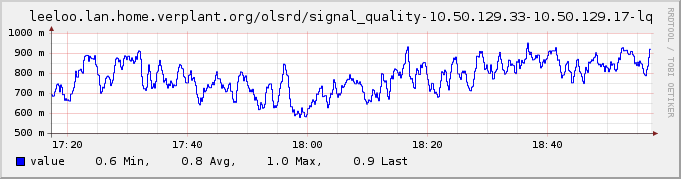
Example graph
Dependencies
- none
See also
Configuration
Configuration options · from collectd.conf(5)
See this section in the full configuration reference
The olsrd plugin connects to the TCP port opened by the txtinfo plugin of the Optimized Link State Routing daemon and reads information about the current state of the meshed network.
The following configuration options are understood:
- Host Host
- Connect to Host. Defaults to "localhost".
- Port Port
- Specifies the port to connect to. This must be a string, even if you give the port as a number rather than a service name. Defaults to "2006".
- CollectLinks No|Summary|Detail
-
Specifies what information to collect about links, i. e. direct connections of the daemon queried. If set to No, no information is collected. If set to Summary, the number of links and the average of all link quality (LQ) and neighbor link quality (NLQ) values is calculated. If set to Detail LQ and NLQ are collected per link.
Defaults to Detail.
- CollectRoutes No|Summary|Detail
-
Specifies what information to collect about routes of the daemon queried. If set to No, no information is collected. If set to Summary, the number of routes and the average metric and ETX is calculated. If set to Detail metric and ETX are collected per route.
Defaults to Summary.
- CollectTopology No|Summary|Detail
-
Specifies what information to collect about the global topology. If set to No, no information is collected. If set to Summary, the number of links in the entire topology and the average link quality (LQ) is calculated. If set to Detail LQ and NLQ are collected for each link in the entire topology.
Defaults to Summary.