table plugin
| Plugin name | table |
| Type | read |
| Callbacks | config, init, read, shutdown |
| Status | supported |
| Since | 4.7 |
| Copyright | 2009 Sebastian Harl |
| License | MIT License |
| Configuration | collectd.conf(5) |
The Table plugin parses table-like structured plain text files. This allows to parse many files found under /proc on Linux systems.
Synopsis
 <Plugin "table">
   <Table "/proc/slabinfo">
     Instance "slabinfo"
     Separator " "
     <Result>
       Type gauge
       InstancePrefix "active_objs"
       InstancesFrom 0
       ValuesFrom 1
     </Result>
     <Result>
       Type gauge
       InstancePrefix "objperslab"
       InstancesFrom 0
       ValuesFrom 4
     </Result>
   </Table>
 </Plugin>
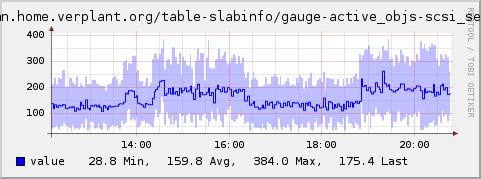
Example graph
Dependencies
- none
Configuration
Configuration options · from collectd.conf(5)
See this section in the full configuration reference
The table plugin provides generic means to parse tabular data and dispatch user specified values. Values are selected based on column numbers. For example, this plugin may be used to get values from the Linux proc(5) filesystem or CSV (comma separated values) files.
<Plugin table>
  <Table "/proc/slabinfo">
    #Plugin "slab"
    Instance "slabinfo"
    Separator " "
    <Result>
      Type gauge
      InstancePrefix "active_objs"
      InstancesFrom 0
      ValuesFrom 1
    </Result>
    <Result>
      Type gauge
      InstancePrefix "objperslab"
      InstancesFrom 0
      ValuesFrom 4
    </Result>
  </Table>
</Plugin>
The configuration consists of one or more Table blocks, each of which configures one file to parse. Within each Table block, there are one or more Result blocks, which configure which data to select and how to interpret it.
The following options are available inside a Table block:
- Plugin Plugin
- If specified, Plugin is used as the plugin name when submitting values. Defaults to table.
- Instance instance
- If specified, instance is used as the plugin instance. If omitted, the filename of the table is used instead, with all special characters replaced with an underscore (
_). - Separator string
-
Any character of string is interpreted as a delimiter between the different columns of the table. A sequence of two or more contiguous delimiters in the table is considered to be a single delimiter, i. e. there cannot be any empty columns. The plugin uses the
strtok_r(3)function to parse the lines of a table - see its documentation for more details. This option is mandatory.A horizontal tab, newline and carriage return may be specified by
\\t,\\nand\\rrespectively. Please note that the double backslashes are required because of collectd's config parsing.
The following options are available inside a Result block:
- Type type
- Sets the type used to dispatch the values to the daemon. Detailed information about types and their configuration can be found in types.db(5). This option is mandatory.
- InstancePrefix prefix
- If specified, prepend prefix to the type instance. If omitted, only the InstancesFrom option is considered for the type instance.
- InstancesFrom column0 [column1 ...]
-
If specified, the content of the given columns (identified by the column number starting at zero) will be used to create the type instance for each row. Multiple values (and the instance prefix) will be joined together with dashes (-) as separation character. If omitted, only the InstancePrefix option is considered for the type instance.
The plugin itself does not check whether or not all built instances are different. It’s your responsibility to assure that each is unique. This is especially true, if you do not specify InstancesFrom: You have to make sure that the table only contains one row.
If neither InstancePrefix nor InstancesFrom is given, the type instance will be empty.
- ValuesFrom column0 [column1 ...]
- Specifies the columns (identified by the column numbers starting at zero) whose content is used as the actual data for the data sets that are dispatched to the daemon. How many such columns you need is determined by the Type setting above. If you specify too many or not enough columns, the plugin will complain about that and no data will be submitted to the daemon. The plugin uses
strtoll(3)andstrtod(3)to parse counter and gauge values respectively, so anything supported by those functions is supported by the plugin as well. This option is mandatory.